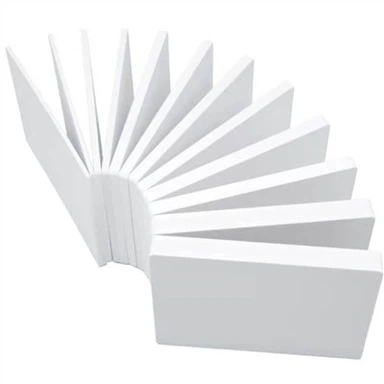
PVC Foam Board Static Dust: Why Your Board Won't Stay Clean | YUPSENI
Nov 08, 2026
The Dust That Clings to Your PVC Board Isn't Dirt. It's Static.
On This Page
The board came out of the wrapping with a fine film of dust already on it. The operator wiped it, printed it, and watched the edges of the image blur with tiny satellite dots. When the finished sign was hung, it collected dust again within days. The assumption was simple: the board was dirty, and the shop was dusty. The board was not dirty.
It was charged. A PVC foam board is an insulator, and an insulator holds a static charge the way a shelf holds dust - quietly, invisibly, and stubbornly. Wipe it and it comes back. Print on it and the ink misbehaves. The dust is not the problem. The charge is.
I. The Board That Wouldn't Stay Clean
It begins the moment the protective film comes off. The board, which looked clean while it was wrapped, is suddenly grey with a fine powder of dust and fiber that was not there a second ago. The operator wipes it with a dry cloth, and for a few seconds the surface is clean - then the dust drifts back, settling in exactly the same places, as if the board had some private gravity. Wipe again, and the same thing happens, sometimes worse.
This is the moment most print shops misread. They blame the supplier for a dusty board, the workshop for a dirty room, the cloth for being cheap. But a clean board in a clean room, wiped with a clean cloth, will still gather the dust back - because the board is not passive. It is pulling the dust toward itself, and the wiping is making it worse.
The board was not dirty. It was charged.
And the reason it holds that charge so well is the very thing that makes the material what it is: plastic is an insulator, and an insulator keeps electricity from going anywhere.

II. Plastic Is an Insulator, and That Is the Problem
Static electricity is not a defect in the board. It is a consequence of what the board is. PVC foam board is an excellent electrical insulator, which means its surface resists the movement of electric charge. That resistance is exactly what you want in a material that must never conduct - and it is exactly what makes static cling so tenacious.
The charge itself comes from friction. When the protective film is peeled away, two surfaces that were pressed together slide apart, and electrons are torn from one and left on the other. Cutting the board, stacking it, sliding sheets across a table, even dragging a cloth across the face - every one of these actions rubs two materials together and generates charge. On a conductive surface, that charge would drain away almost instantly, leaking into the bench or the ground. On an insulator, it has nowhere to go. It sits on the surface, accumulating with every touch, and stays there for a long time.
This is the source of the whole problem. The board is not being contaminated by anything unusual; it is doing what every plastic sheet does. The charge is a fact of the material, and everything that follows - the dust that will not leave, the print that will not come out clean - is that charge making itself felt.
An insulator is a surface with nowhere for electricity to escape. The charge has no exit, so it waits - and while it waits, it gathers.

III. Why the Dust Comes Back
The dust comes back because the charge never left. A charged surface reaches out into the air around it and attracts any small particle that drifts close - dust, lint, paper fibers, the tiny debris from cutting foam. The particles do not need to be charged themselves; a strong static field will polarise them and pull them in regardless. Once they land, the charge holds them against the surface far more firmly than their own weight, which is why a casual wipe slides over them without lifting them away.
And then there is the cruel irony of the wipe itself. A dry cloth dragged across an insulating plastic is another rubbing action, another source of fresh charge. Every stroke cleans away a little dust and generates a little more static, so the surface that looks clean for a moment is actually primed to attract the next particle that floats by. This is why the dust seems to return to the same places: the charge is densest where the cloth rubbed hardest, and that is exactly where the next layer settles.
The dust is not coming back despite the cleaning. In a sense, it is coming back because of it - the cleaning recharges the very surface it is trying to clear.

IV. The Print That Should Have Been Clean
The static does not only gather dust. It interferes with the print itself, and the failures it causes are the kind a shop blames on the ink, the head, or the artwork - when the real culprit is the charge sitting on the substrate.
| Stage | What static does | What you see |
|---|---|---|
| After peeling the film | Surface carries a high charge | Dust pulled onto the board within moments |
| Before printing | Dust held hard against the face | White spots, grain in solid colour |
| During printing | Ink droplets deflected in flight | Satellite dots, fuzzy edges |
| After printing | Finished face recharged | Sign collects dust within days |
The most visible symptom is the satellite dot: a tiny ink mark that lands beside its intended spot, so that the edge of a letter or a graphic looks soft, as if printed at low resolution. The charge on the board bends the flight of the ink droplets, and the smallest droplets - the ones that should form the crisp edge - are the ones most easily thrown off course. A board that is charged before it enters the printer is a board asking for blur, no matter how good the machine is.
Dust held on the surface is its own failure mode. A particle pinned under a droplet of ink becomes a void in the print - a white speck in a solid area, a pinhole in a line, a speckle across a smooth gradient. The printer did nothing wrong; it printed faithfully over a particle that should never have been there. The cleanliness of the sheet before it reaches the head decides the cleanliness of the image after.
The dust and the blur are not two problems. They are one problem - the charge - showing itself in two places.
V. Kill the Static, Not the Dust
The way to a clean board is not to wipe it harder. It is to remove the charge, so the dust has nothing holding it there and nothing pulling it back. Once the static is gone, the dust is just dust - and dust, on an uncharged surface, wipes away easily and stays gone.
Neutralise the charge with an ionising blower. A stream of ionised air over the board before it enters the printer carries away the static and the dust together. This is the single most effective step in a print shop, and the one that changes everything downstream.
Keep the air humid. Static builds fastest in dry air. A room held at a moderate humidity level lets the charge leak away slowly on its own and reduces how much is generated in the first place.
Wipe with the right cloth. A dry, untreated cloth generates charge as it wipes. A properly grounded anti-static cloth, or a cloth treated with an anti-static agent, lifts the dust without recharging the surface - and the board stays clean after the wipe.
None of this is about a better board. It is about working with the material's nature instead of against it. The print process that behaves is the one that meets the charge head-on and removes it - because a board with no static is a board that stops collecting dust, and a board that stops collecting dust is a board that prints clean.
The Dust Was Never the Problem
The board that would not stay clean, the sign that collected dust in days, the print with the soft edges and the white specks - none of it was caused by dirt, and none of it was fixed by cleaning. It was caused by a charge sitting on an insulating surface, gathering every particle that drifted near and bending every droplet that tried to land. The dust was a symptom. The static was the disease.
The shop that understands this stops fighting the dust and starts fighting the charge. Neutralise the surface before it prints, humidify the air, wipe with a cloth that does not recharge - and the same board that used to look dirty becomes the clean, crisp substrate it always could be. The board did not change. The way it was handled did, and that made all the difference.
Print a board that behaves
Clean-surface foam board, matched to your print process and finish.
Request a Quotation Browse Advertising BoardFrequently Asked Questions About PVC Board Static
Answers to the questions that come up when a foam board keeps collecting dust.
Q1: Why does my PVC foam board collect dust?
A: Because it carries a static charge. PVC is an insulator, so friction from peeling the film, cutting, or wiping generates charge that has nowhere to drain - and a charged surface attracts dust.
Q2: Why does wiping make it dirtier?
A: A dry cloth is another rubbing action that generates fresh static. It cleans away some dust while recharging the surface, so new dust settles straight back into the same places.
Q3: Does static affect UV printing?
A: Yes. A charged board deflects ink droplets in flight, causing satellite dots and fuzzy edges, and pins dust under the ink, causing white specks in solid areas.
Q4: How can I remove static from a PVC board?
A: Use an ionising blower to neutralise the surface before printing, keep the air humid, and wipe with a grounded anti-static cloth rather than a dry untreated one.
Q5: Are some PVC boards anti-static?
A: Some foam boards are treated or formulated to dissipate charge. For demanding print work, ask your supplier about anti-static surface options and handling recommendations.
YUPSENI Team
23 years in PVC building material manufacturing and supply chain. We help importers, distributors, and project buyers source SPC flooring, PVC foam boards, wall panels, and fencing that pass compliance the first time. More about YUPSENI
© 2026 YUPSENI. All rights reserved. The information in this article is for general informational purposes only and does not constitute professional advice. Product specifications may vary by region and production batch. Always request current datasheets before making procurement decisions.